
How to Obtain the CNESST Classification Decision
Among the required documentation to join the SIAQ, you must provide the document titled "Classification Decision" that is the most recent in your file.
This document is published in the CNESST Employer Space every year, around the end of October.
You can access this document at any time during the year by visiting the CNESST website.
Here is a small tutorial to explain how to obtain this document.
First, go to the site of the CNESST - Employer Space
Click on the "Connect" button.
You will be redirected to the login screen. You can select the way that suits your company.
Once you are logged in, you will be directed to the employer portal homepage as shown below.
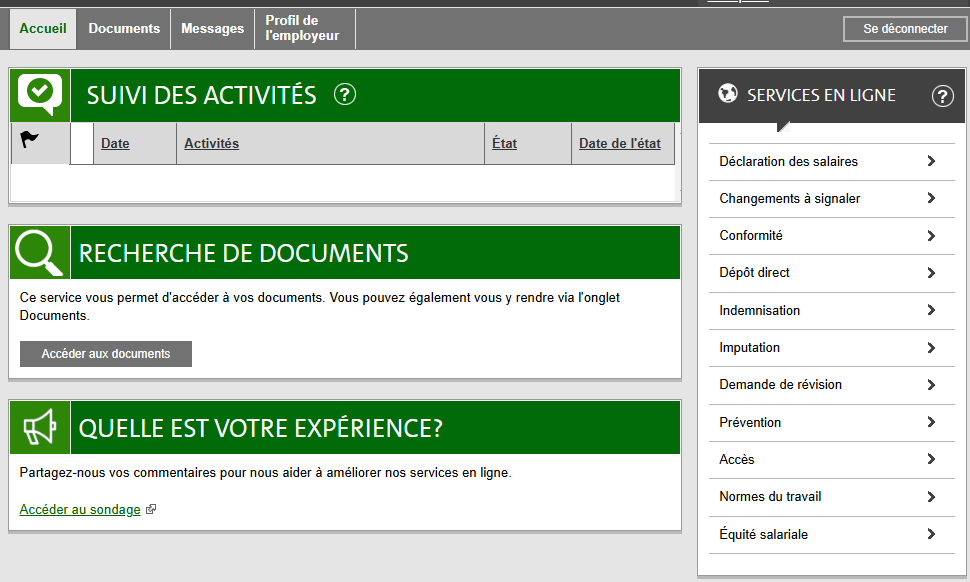
Click on the "Access Documents" button in the "Document Search" section.
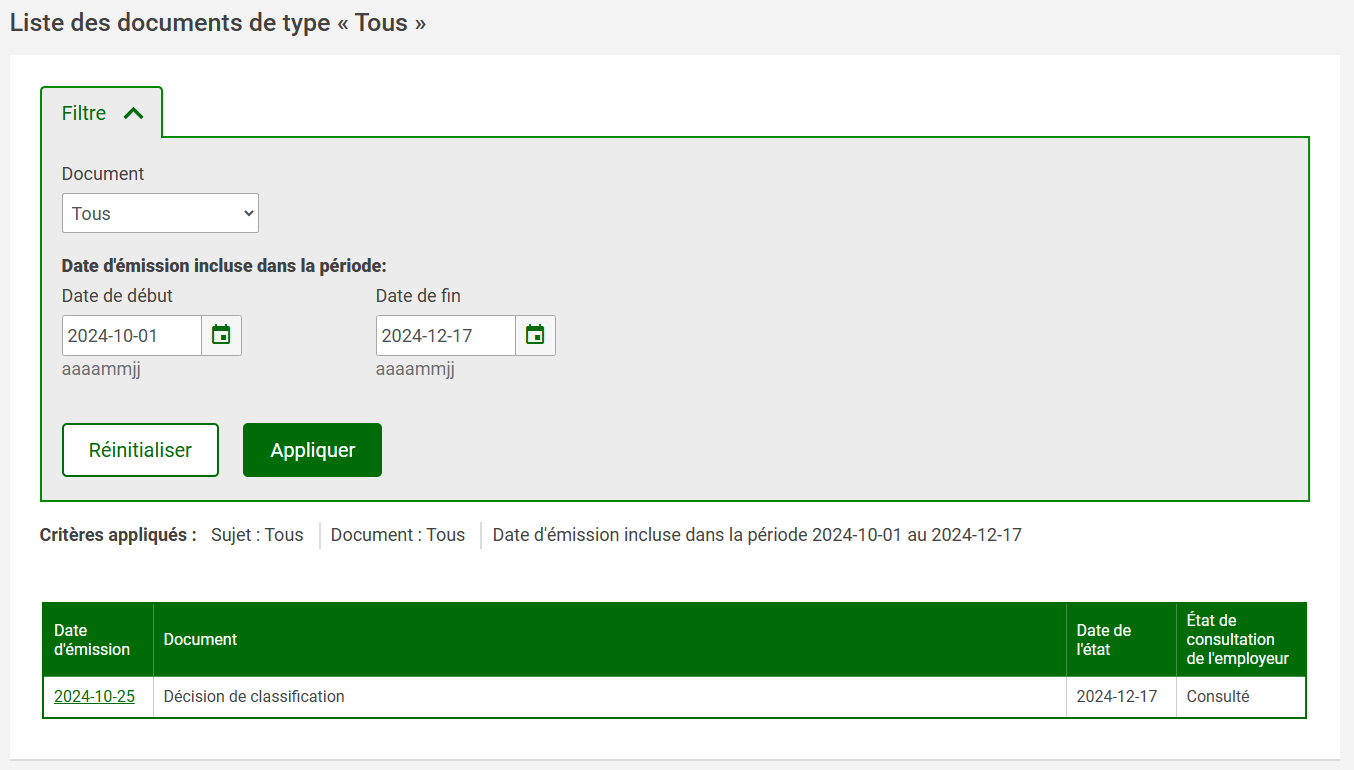
Indicate the most recent month of October since the document is published around the end of each October, then click on the Apply button.
The most recent file will appear in the search results. You just have to download it onto your computer, then upload it to your business member profile.